Sometimes it’s hard for me to focus and stay committed to a project. I’ll often try something new after a reset, then design some overly-complex system to make sure I stay on task.
Needless to say, it never sticks.
This time I want to try something different. This isn’t a blog–it’s an accountability partner. I can’t design some Rube Goldberg machine in my head then expect it to execute on the first day. Instead, I have an idea that’s NOT (yet) fully formed, and I’m forcing myself to get the first part to the point I can use it.
For me, that’s keeping track of things I want to do.
I like lists. I have about 80 notes on my phone, at least 60 are lists. They help me to collect my thoughts over time, then act on them when necessary or warranted. My issue with lists is that there isn’t one app or place that can keep up with all the different types of lists that I have. Every time I think I find a system, I then come up with a new way I want to include everything into it–and that’s where it gets complicated.
I am taking a different path this time. I didn’t pick the flashiest tool that has all of the bells and whistles. Instead, I went with the free tier tool that focuses on an API first and customizability within the task itself. I ended up with Trello, but that’s because I’ve tried (and failed) with Asana, Todoist, etc. and I use Jira at work. I did think that Trello would be a similar experience to Jira. (Hint: it was not.)
A few months in, I can’t say that it’s working yet–but the process keeps improving. Trello’s free tier layout is…awful. You can’t expand the size of the lists, you can’t simply list out the cards, etc. While those features are offered in the premium, I think that charging individuals/personal users for those features is ridiculous. (I did start a trial of the premium, but the whole “Power Ups” feature is really a marketplace for other companies to make more money off of you, with NO free tier option.) But there’s one other tool in the tool belt that I haven’t played with–low/no code solutions.
I know how to code. Been doing it for years. Doesn’t mean I have the time or the patience for it on every project, nor that I should have to use those skills on every project. Meanwhile, Retool’s been bugging me about using it at work and has a free tier so I figured I’d try it on my home project first. It’s awkward, clunky, not how I’d do it–but it works.
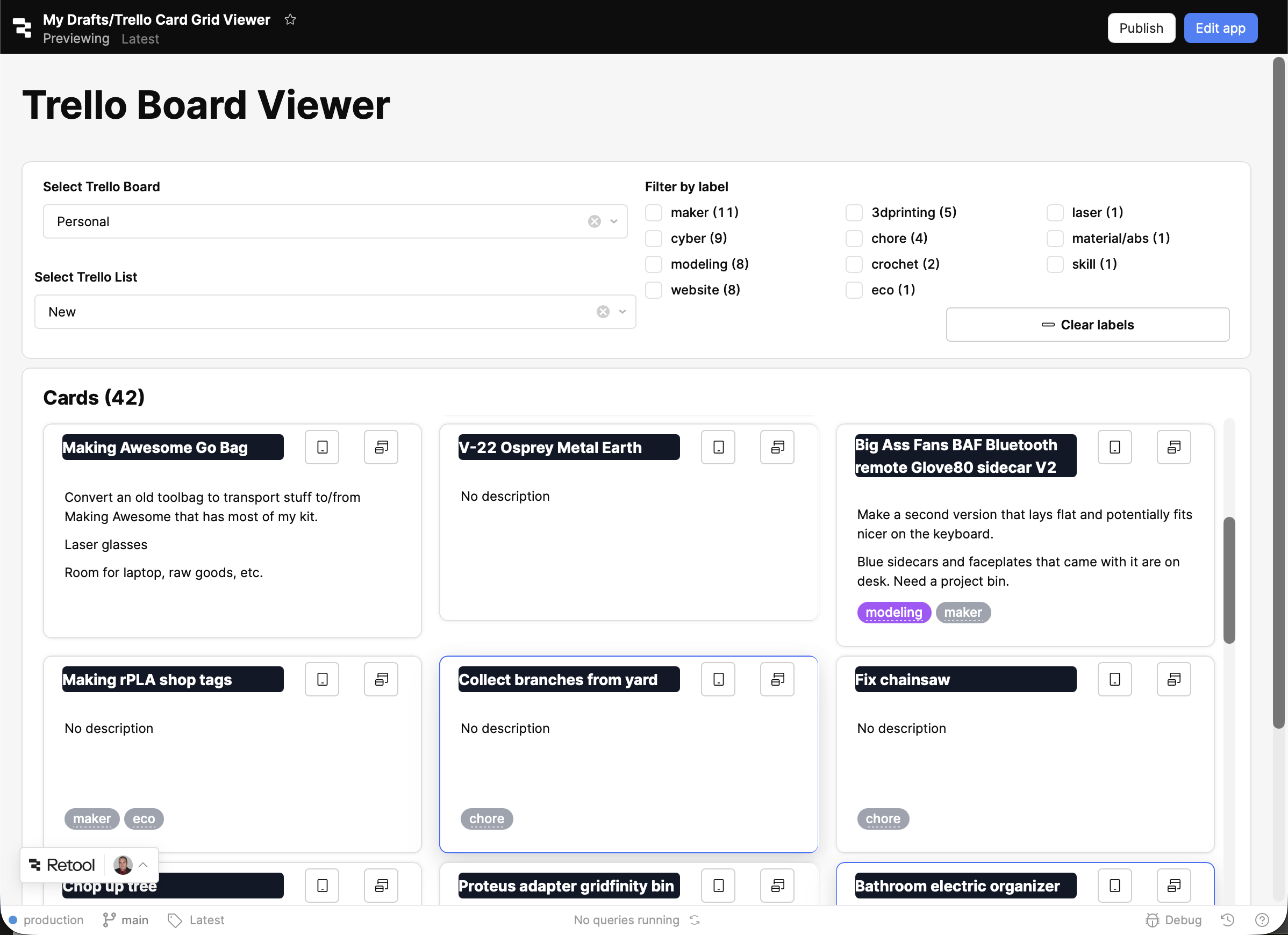
This isn’t a normal solution–this one is personalized to me and the way I think. It allows me to order my thoughts based on what I want to see, not what any company has designed to “work for everyone”. And when I’m ready to do something on that list, it’s actually easier for me to find the right thing.
I’ll continue to improve this over time. In the meantime, I have a way of managing tasks programmatically AND a way of visualizing them in a way that works for me–and that’s worth keeping my personal productivity up!